How to Recognize Phishing? A Practical Guide with Real Examples
Learn how to identify fake emails and phishing messages. A practical guide with examples, red flags, and ways to protect yourself from scammers.
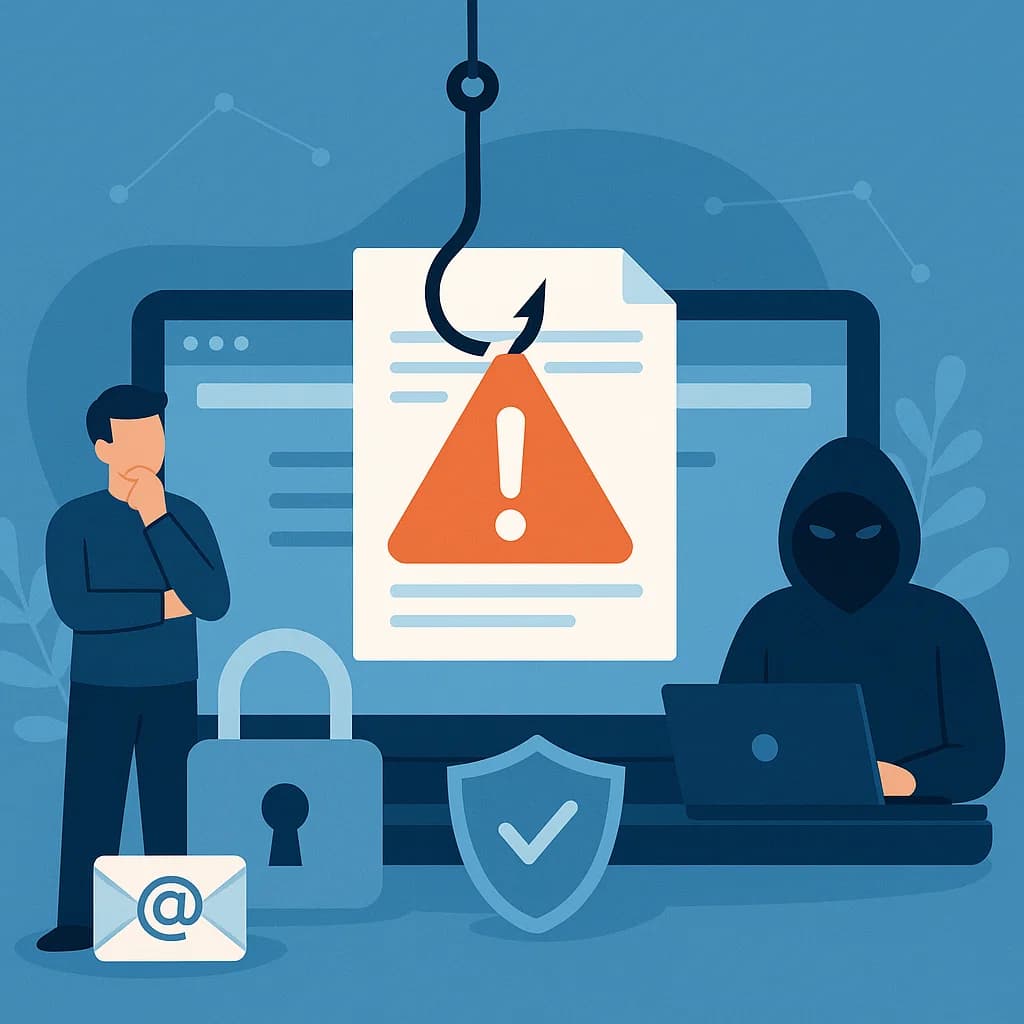
Phishing is one of the most common forms of cyberattacks in 2025. According to the latest statistics, 91% of all cyberattacks start with phishing. Every day, millions of fake emails land in users' inboxes worldwide, attempting to steal their personal data, passwords, and money.
Did you know that on average, 3.4 billion fake emails are sent every day? The worst part is that phishing is becoming increasingly sophisticated - cybercriminals use AI, personalization, and advanced techniques to deceive even the most vigilant users.
In this comprehensive guide, we'll show you how to recognize phishing, what are the most common scammer techniques, and how to protect yourself from them.
1. What is Phishing? The Basics
Definition of Phishing
Phishing is a cyberattack method where criminals impersonate known companies, institutions, or individuals to steal your personal data, passwords, credit card numbers, or other sensitive information.
The name "phishing" comes from the English word "fishing" - cybercriminals "cast a line" in the form of fake emails, waiting for someone to "bite" and click on a suspicious link or provide their data.
How Does Phishing Work?
Typical phishing attack scenario:
- Cybercriminal sends a fake email - impersonating a bank, online store, or other known company
- Email looks authentic - uses logos, colors, and style of the real company
- Message contains urgent call to action - "Your account will be blocked within 24h", "Confirm payment", "Update your data"
- Link leads to a fake website - looks identical to the real company's website
- Victim enters their data - which goes directly to criminals
- Criminals use the data - log into accounts, steal money, sell data on dark web
Statistics That Should Concern You
- 91% of cyberattacks start with phishing
- 3.4 billion fake emails sent daily
- $4.9 billion - global losses due to phishing in 2024
- 74% of organizations have fallen victim to phishing attacks
- On average, 1 in 99 emails is a phishing attempt
- 287 days - average time to detect a data breach without professional protection
2. Most Common Types of Phishing
Email Phishing (Classic Phishing)
The most popular form of phishing. Criminals send mass emails to thousands of users, impersonating known companies.
Example:
From: support@bank-us.com
Subject: URGENT: Your account has been blocked

Hello,

Due to suspicious activity, your account has been temporarily blocked.
To unblock it, click the link below and log in:

[SUSPICIOUS LINK]

If you don't do this within 24 hours, your account will be permanently closed.
Spear Phishing (Targeted Phishing)
An advanced form of phishing where criminals gather information about a specific person and personalize the attack. This is much more dangerous than classic phishing.
Characteristics:
- Personalized messages (they know your name, company, position)
- Use information from LinkedIn, Facebook
- Look credible and authentic
- Often target specific people in companies
Whaling (Phishing for "Whales")
An attack targeting high-ranking individuals (CEOs, directors, presidents). Criminals impersonate higher-ranking employees, requesting transfers or access to systems.
Smishing (SMS Phishing)
Phishing through text messages. Criminals send fake text messages, often impersonating banks or couriers.
Example:
DHL: Your package is waiting for pickup.
Click here: [LINK]
Vishing (Voice Phishing)
Attack via phone. Criminals call, impersonating a bank, tax office, or other institution, attempting to steal data.
3. Red Flags - How to Recognize Phishing?
⚠️ 1. Suspicious Sender Address
What to look for:
- Strange domains -
bank-us.cominstead ofbank.com,amazon-support.netinstead ofamazon.com - Typos in address -
gooogle.com,faceb00k.com,micr0soft.com - Additional characters -
bank-us.com,amazon-security.com(when real domain isamazon.com) - Free email domains -
@gmail.com,@yahoo.cominstead of corporate domain
How to check:
- Always check the full email address (click on sender's name)
- Real companies use their own domains (e.g.,
@bank.com, not@gmail.com)
⚠️ 2. Urgent Calls to Action
Typical phrases:
- "Your account will be blocked within 24h"
- "URGENT: Confirm payment"
- "Last chance - click now"
- "Your account has been hacked"
- "Immediately update your data"
Remember: Real companies rarely use such aggressive, urgent calls. If something is truly urgent, they'll contact you through a known channel or call you.
⚠️ 3. Language and Spelling Errors
Common errors in phishing emails:
- Spelling and grammar mistakes
- Strange phrases
- Google Translate translations
- Unprofessional language
Note: Modern phishing attacks use AI, so errors may be less visible. Always check other warning signs.
⚠️ 4. Suspicious Links
How to check a link before clicking:
- Hover over the link (don't click!) - you'll see the real URL at the bottom of the browser
- Check the domain - is it really the company's website?
- Pay attention to:
http://instead ofhttps://(no encryption)- Strange characters in the address
- Shortened links (bit.ly, tinyurl.com) - may hide the real address
Example of suspicious link:
Real link: https://bank.com/login
Fake link: https://bank-us.com/login
⚠️ 5. Requests for Personal Data
Remember: Real companies NEVER ask for:
- Passwords via email
- PIN numbers
- Full credit card numbers
- CVV codes
- Bank account passwords
If an email asks for such data - it's 100% phishing!
⚠️ 6. Attachments with .exe Extension
Dangerous file extensions:
.exe- executable files.scr- screen savers (often viruses).bat- batch scripts.zipor.rarwith suspicious content
Real companies rarely send attachments, and if they do, usually .pdf or office documents.
⚠️ 7. Too Good to Be True Offers
Examples of suspicious offers:
- "You won $1,000,000 - click here"
- "Free iPhone - today only"
- "Get tax refund - provide data"
If something sounds too good to be true - it probably is a scam.
4. Examples of Real Phishing Attacks
Example 1: Fake Bank Email
From: security@bank-us.com
Subject: URGENT: Suspicious activity detected on your account

Hello,

We detected suspicious activity on your bank account.
To secure your account, click the link below and log in:

https://bank-us.com/secure-login

If you don't do this within 2 hours, your account will be blocked.

Best regards,
Bank Security Team
Red flags:
- ❌ Domain
bank-us.cominstead of real bank domain - ❌ Urgent call to action (2 hours)
- ❌ Request to log in through link in email
- ❌ Real banks don't block accounts this way
What to do:
- ✅ DON'T click the link
- ✅ Log in directly on the bank's website (type address manually)
- ✅ Contact the bank through known phone number
- ✅ Check if the message is real
Example 2: Fake Invoice
From: billing@amazon.com
Subject: Your invoice is ready to download

Hello,

Your invoice for order #123456 is ready.
Download it in the attachment.

Attachment: invoice_123456.exe

Best regards,
Amazon Team
Red flags:
- ❌
.exeattachment - Amazon never sends executable files - ❌ Real Amazon invoices are available in customer panel, not as attachments
- ❌ Suspicious email address
What to do:
- ✅ DON'T open the attachment
- ✅ Log into your Amazon account and check invoices
- ✅ Delete the email
Example 3: Fake Courier Email
From: info@dhl-express.com
Subject: Your package is waiting for pickup

Hello,

Your package could not be delivered.
To reschedule delivery, click here:

[LINK]

Tracking number: 1234567890
Red flags:
- ❌ Domain
dhl-express.commay be fake (check real DHL domain) - ❌ Link to "reschedule" - real couriers have systems on their websites
- ❌ Lack of package details
What to do:
- ✅ Check tracking number on official courier website
- ✅ Don't click link from email
- ✅ Contact courier through official channel
5. How to Protect Yourself from Phishing?
Basic Security Rules
1. Never Click Links in Emails
Instead:
- Type the website address manually in browser
- Use bookmarks you saved earlier
- Search for the company on Google and go to official website
2. Check Sender Address
- Always check the full email address
- Pay attention to typos and strange domains
- Real companies use their own domains
3. Don't Open Suspicious Attachments
- Especially
.exe,.scr,.batfiles - If you're not expecting an attachment - don't open it
- Scan attachments with antivirus
4. Never Provide Passwords via Email
- Real companies NEVER ask for passwords via email
- If an email asks for a password - it's 100% phishing
5. Use Two-Factor Authentication (2FA)
- Even if someone steals your password, they won't be able to log in without the second component
- Enable 2FA on all important accounts (bank, email, social media)
6. Regularly Check for Data Breaches
- Check if your data hasn't leaked in known databases
- Generate a free report on Privaro's homepage
- If your data leaked, change passwords immediately
7. Update Software
- Regular updates contain security patches
- Update operating system, browser, and applications
- Enable automatic updates
8. Use a Password Manager
- Generate strong, unique passwords for each account
- Don't use the same password in multiple places
- Password manager will automatically fill forms on real websites, but not on fake ones
6. What to Do If You've Fallen Victim to Phishing?
Immediate Actions
1. Change Passwords
- All accounts that used the same password
- Start with most important (bank, email)
- Use strong, unique passwords
2. Contact Your Bank
- If you provided bank data - call immediately
- Block credit/debit card
- Check transactions and report suspicious ones
3. Enable 2FA
- If you don't have 2FA enabled yet - do it now
- This is an additional layer of protection
4. Report the Incident
- Report phishing to appropriate authorities
- In the US: FTC, FBI IC3
- In the EU: Your local data protection authority
- Report to the company the criminal impersonated
5. Monitor Your Accounts
- Regularly check bank transactions
- Check activity on accounts (logins, setting changes)
- Use professional monitoring - Privaro offers 24/7 breach monitoring
6. Check for Data Breaches
- Check if your data leaked in other databases
- Generate a free report on Privaro
- If data leaked - take appropriate actions
7. Tools to Protect Against Phishing
Anti-Phishing Software
1. Spam Filters
- Most email providers (Gmail, Outlook) have built-in filters
- They check suspicious emails and move them to spam
- They're not 100% effective - always check manually
2. Browser Extensions
- uBlock Origin - blocks ads and suspicious websites
- Password Alert (Google) - warns about fake login pages
- Netcraft Extension - identifies phishing websites
3. Password Managers
- 1Password, LastPass, Bitwarden - automatically fill forms only on real websites
- If password manager doesn't recognize the website - that's a red flag!
4. Data Breach Monitoring
- Privaro - professional 24/7 monitoring
- You'll receive notifications when your data appears in breaches
- Check free report now
8. Phishing in the Workplace - How to Protect Your Company?
Risk for Companies
Phishing is the biggest threat to companies. 74% of organizations have fallen victim to phishing attacks. Criminals often attack employees to gain access to company systems.
Best Practices for Companies
1. Employee Training
- Regular training on recognizing phishing
- Phishing attack simulations
- Tests and quizzes
2. Security Policies
- Clear rules regarding emails
- Procedures for verifying suspicious messages
- Rules regarding attachments
3. Technical Security
- Spam and anti-phishing filters
- Firewalls and intrusion detection systems
- Network monitoring
4. Response Plan
- What to do when an employee falls victim to phishing
- How to quickly block access
- How to notify appropriate people
9. The Future of Phishing - New Threats
AI and Phishing
Cybercriminals use artificial intelligence to:
- Generate more convincing emails
- Personalize attacks on a large scale
- Create fake websites that look identical to real ones
- Generate voice (deepfake) for vishing
How to Prepare?
- Be even more vigilant
- Always verify through known channels
- Use 2FA everywhere possible
- Regularly check for data breaches
10. Summary - Your Checklist
✅ Always Check:
- Sender address (full email address)
- Links (hover before clicking)
- Attachments (are they safe?)
- Language and errors (does email look professional?)
- Urgent calls (is it really urgent?)
✅ Always Remember:
- Real companies NEVER ask for passwords via email
- Don't click links in emails - type address manually
- Use 2FA on all important accounts
- Regularly check for data breaches
- Update software
✅ If Something is Suspicious:
- DON'T click links
- DON'T open attachments
- DON'T provide data
- Contact company through known channel
- Report phishing
Don't Wait - Protect Yourself Today!
Phishing is a real and growing threat. Every day, millions of people fall victim to these attacks. You don't have to be one of them.
Remember:
- 91% of cyberattacks start with phishing
- 287 days - average time to detect a breach without professional protection
- $4.9 billion - global losses due to phishing
Protect yourself now:
-
Check if your data has been breached - Generate a free report on Privaro. It takes less than 10 seconds.
-
Enable professional monitoring - Privaro offers 24/7 data breach monitoring. You'll receive notifications within 24 hours of breach detection, instead of waiting 287 days.
-
Apply the rules from this guide - be vigilant, verify, and don't click suspicious links.
Your security is in your hands. Don't get scammed.
Remember: Phishing is not just a technical problem - it's a human problem. The best protection is knowledge and vigilance. Be aware, be cautious, be safe.
This article was created by the Privaro team - experts in data protection and cybersecurity.
Related posts
Dark Web Explained - Why Your Data Might Be There?
Learn what the Dark Web is, how it works, and why your personal data might end up there. A practical guide to the darkest side of the internet.
GDPR and Data Breaches - What Are Your Rights as a Consumer?
Learn what rights you have as a consumer in case of data breach according to GDPR. How to report breaches, claim compensation, and protect your data.
How to Protect Your Data Online - Comprehensive Guide 2025
Learn how to effectively protect your personal data from breaches, cyberattacks, and identity theft. Practical tips and best security practices.