
Dark Web Explained - Why Your Data Might Be There?
Learn what the Dark Web is, how it works, and why your personal data might end up there. A practical guide to the darkest side of the internet.
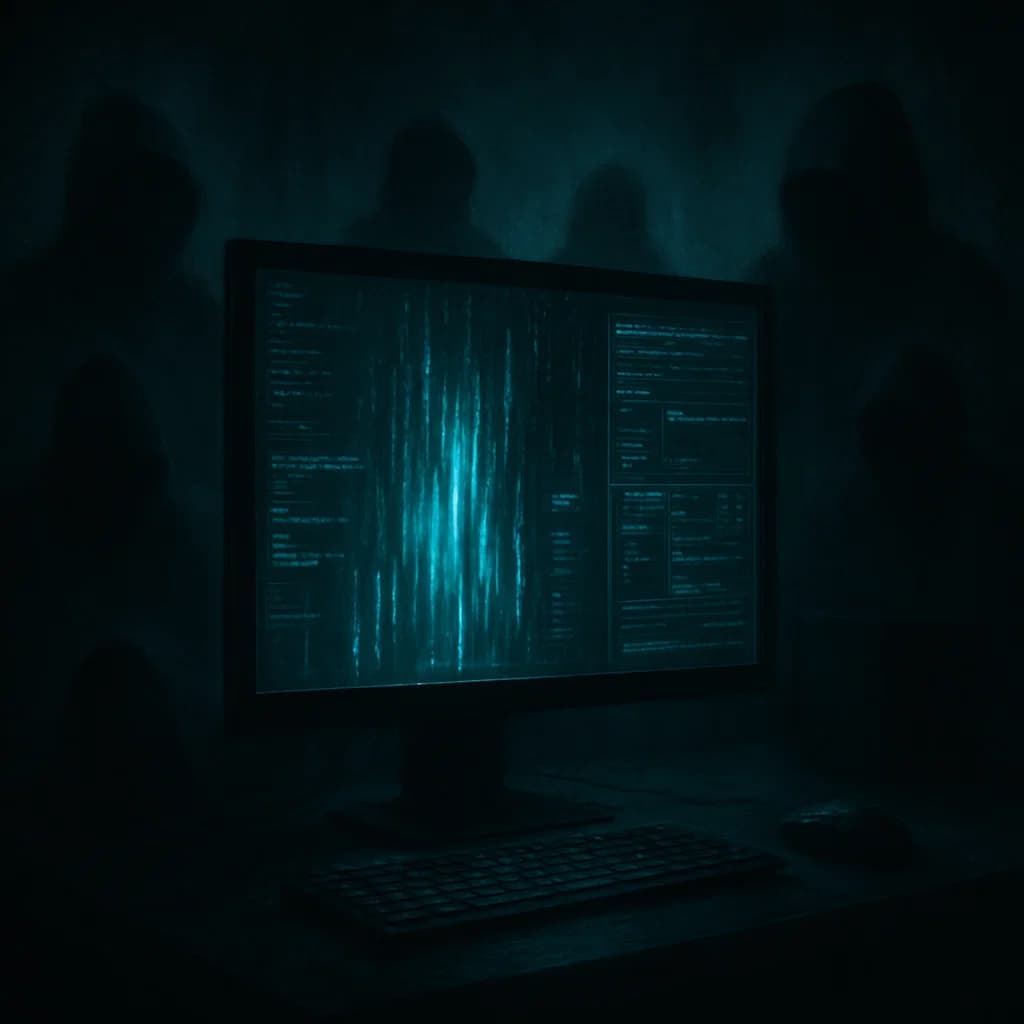
The Dark Web is one of the most mysterious and dangerous parts of the internet. It's where cybercriminals trade stolen data, passwords, credit card numbers, and other sensitive information. According to the latest research, over 60% of data breaches end up on the Dark Web within the first 24 hours of theft.
Did you know that your data might already be on the Dark Web? The worst part is that the average user doesn't have access to these places - you can't simply go in and check if your data is there. This is exactly why professional monitoring is so important.
In this comprehensive guide, we'll explain what the Dark Web is, how it works, why your data might end up there, and what you can do to protect yourself.
1. What is the Dark Web? The Basics
Definition of Dark Web
Dark Web is a part of the internet that is not indexed by traditional search engines like Google or Bing. Access to it requires special software, most commonly the Tor browser (The Onion Router).
The Dark Web is only a small part of the so-called Deep Web, which includes all pages not indexed by search engines - including legal pages such as bank databases or medical systems.
Internet Structure - Surface Web, Deep Web, and Dark Web
1. Surface Web (Surface Network) - 4% of the internet
- This is the part of the internet you know and use daily
- Indexed by Google, Bing, and other search engines
- Examples: company websites, blogs, news portals, social media
2. Deep Web (Deep Network) - 90% of the internet
- All pages not indexed by search engines
- Requires login or special access
- Examples: bank databases, medical systems, private corporate networks, academic databases
3. Dark Web (Dark Network) - 6% of the internet
- Part of Deep Web requiring special software (Tor)
- Intentionally hidden from traditional search engines
- Used for both legal and illegal purposes
How Does the Dark Web Work?
Tor Technology (The Onion Router):
- Layered encryption - data is encrypted in multiple layers (like an onion - hence the name "onion")
- Routing through multiple servers - your connection passes through random servers around the world
- Anonymity - it's almost impossible to track the source of the connection
- Hidden addresses - pages have
.onionaddresses instead of traditional domains
Example of Dark Web address:
Traditional internet: https://example.com
Dark Web: http://example.onion
2. Why Might Your Data Be on the Dark Web?
How Data Ends Up on the Dark Web
1. Data breaches from companies
- Cybercriminals hack into company databases
- Steal millions of records with personal data
- Sell this data on the Dark Web within hours or days
2. Phishing and scams
- Criminals steal data through fake emails and websites
- Collect passwords, card numbers, personal data
- Sell them on the Dark Web
3. Malware and keyloggers
- Malicious software steals data from your computer
- Keyloggers record everything you type (passwords, card numbers)
- Data is sent to criminals and sold on the Dark Web
4. Internal leaks
- Company employees may sell data
- Improperly secured databases
- Server configuration errors
Statistics That Should Concern You
- 60% of data breaches end up on the Dark Web within 24 hours
- On average, 4,800 data breaches per year (13 daily in 2025)
- 287 days - average time to detect a breach without professional protection
- Billions of records are sold on the Dark Web every year
- $1,343 - average cost of repairing damages after identity theft
What is Sold on the Dark Web?
1. Personal data
- Names, surnames, addresses
- Social security numbers, dates of birth
- Phone numbers
- Email addresses
2. Passwords and login data
- Email account passwords
- Bank account passwords
- Social media account passwords
- Online store account passwords
3. Credit card numbers
- Full card numbers
- CVV codes
- Expiration dates
- Cardholder data
4. Identity documents
- ID card scans
- Passports
- Driver's licenses
- Medical documents
5. Accounts and subscriptions
- Netflix, Spotify, Amazon accounts
- Online gaming accounts
- Premium service accounts
3. How to Check If Your Data is on the Dark Web?
Why Can't You Check This Yourself?
Problems with self-checking:
- No access - Dark Web requires special software and knowledge
- Danger - you may encounter illegal content or malware
- Scale - millions of databases, hundreds of thousands of pages
- Time - checking all places would take years
- Languages - Dark Web is in many languages, often in codes
Professional Monitoring Tools
1. Privaro - 24/7 Monitoring
- Automatic scanning - searches Dark Web and all known databases
- 24h notifications - you'll learn about a breach within 24 hours, instead of waiting 287 days
- Detailed reports - thorough analysis of which data leaked and from which services
- Identity protection - 99.9% effectiveness in threat detection
2. How It Works?
- Privaro scans Dark Web 24/7
- Compares your data with millions of records in databases
- When it finds a match - immediately notifies you
- You receive a detailed report with information about what leaked
3. Check Now - Free Report
- Generate a free report on Privaro's homepage
- Check if your data has leaked in known databases
- It takes less than 10 seconds
4. Biggest Data Breaches That Ended Up on the Dark Web
Example 1: Facebook - 533 Million Users (2021)
What happened:
- Data of 533 million Facebook users leaked
- Including: names, surnames, phone numbers, email addresses, dates of birth
- Data ended up on Dark Web within days
Consequences:
- Millions of people exposed to phishing and scams
- Data used for identity theft
- Sold on Dark Web for fractions of cents per record
Example 2: LinkedIn - 700 Million Users (2021)
What happened:
- Data of 700 million LinkedIn users leaked
- Including: full profiles, email addresses, phone numbers, locations
- Data was available on Dark Web
Consequences:
- Criminals could create detailed victim profiles
- Use data for spear phishing (targeted attacks)
- Sell data to recruitment companies and scammers
Example 3: Adobe - 153 Million Users (2013)
What happened:
- Data of 153 million Adobe users leaked
- Including: email addresses, encrypted passwords, password hints
- Passwords were weakly encrypted - easy to crack
Consequences:
- Millions of passwords were cracked
- Criminals used the same passwords for other accounts
- Data was sold on Dark Web for years
Example 4: Yahoo - 3 Billion Users (2013-2014)
What happened:
- Largest breach in history - 3 billion accounts
- All data leaked: emails, passwords, phone numbers, dates of birth
- Yahoo hid the breach for years
Consequences:
- Practically every Yahoo user was exposed
- Data was used to attack other services
- Sold on Dark Web en masse
5. How to Protect Yourself from Data Leaks on Dark Web?
Basic Security Rules
1. Use Strong, Unique Passwords
- Minimum 12 characters
- Mix of letters, numbers, and symbols
- Different passwords for each account
- Use a password manager (1Password, LastPass, Bitwarden)
2. Enable Two-Factor Authentication (2FA)
- Even if someone steals your password, they won't be able to log in
- Enable 2FA on all important accounts
- Use authorization apps (Google Authenticator, Authy)
3. Regularly Check for Data Breaches
- Check free report on Privaro
- If your data leaked - change passwords immediately
- Enable professional monitoring - Privaro offers 24/7 monitoring
4. Don't Provide Data Unnecessarily
- Don't fill out forms that aren't necessary
- Check if the website is secure (https://)
- Don't share data on social media
5. Update Software
- Regular updates contain security patches
- Update operating system, browser, applications
- Enable automatic updates
6. Beware of Phishing
- Don't click suspicious links
- Check sender email addresses
- Don't provide passwords via email (real companies never ask for passwords)
7. Monitor Your Accounts
- Regularly check bank transactions
- Check account activity (logins, setting changes)
- Set up notifications for suspicious activity
6. What to Do If Your Data is on the Dark Web?
Immediate Actions
1. Change All Passwords
- All accounts that used the same password
- Start with most important (bank, email)
- Use strong, unique passwords
- Use a password manager to generate passwords
2. Enable 2FA Everywhere
- If you don't have 2FA enabled yet - do it now
- This is an additional layer of protection
- Even if someone has your password, they won't be able to log in
3. Contact Your Bank
- If bank data leaked - call immediately
- Block credit/debit card
- Check transactions and report suspicious ones
- Consider closing account and opening a new one
4. Report the Incident
- Report the breach to appropriate authorities
- In the US: FTC, FBI IC3
- In the EU: Your local data protection authority
- Report to the company from which data leaked
5. Monitor Accounts and Transactions
- Regularly check bank transactions
- Check account activity (logins, setting changes)
- Set up notifications for every transaction
- Check credit reports
6. Enable Professional Monitoring
- Privaro offers 24/7 data breach monitoring
- You'll receive notifications when your data appears in new breaches
- Detailed reports on all detected breaches
7. Dark Web and Legality - What's Legal and What's Not?
Legal Use of Dark Web
1. Anonymity and Privacy
- Journalists in countries with censorship
- Activists and dissidents
- People protecting their privacy
2. Research and Education
- Cybersecurity researchers
- Students and scientists
- Non-profit organizations
3. Communication
- People in countries with limited freedom of speech
- Communication without government surveillance
- Protection against surveillance
Illegal Use of Dark Web
1. Trading Personal Data
- Selling stolen data
- Trading passwords and accounts
- Selling identity documents
2. Drug and Weapon Trade
- Illegal trade in substances
- Weapon sales
- Human trafficking
3. Cybercrime
- Selling malware and hacking tools
- Hacking services
- Scams and thefts
Remember: Even though Dark Web has legal uses, most activity is illegal. Access to Dark Web may be monitored by law enforcement.
8. How Does Dark Web Monitoring Work? Technology
How Privaro Scans Dark Web?
1. Automatic Scanning
- Bots search Dark Web 24/7
- Scan millions of pages and databases
- Compare data with your information
2. Data Analysis
- Advanced algorithms analyze found data
- Identify data types (emails, passwords, card numbers)
- Check breach sources
3. Verification
- Verification if data is authentic
- Checking if data is current
- Confirming breach source
4. Notifications
- Immediate notifications when data is found
- Detailed reports on breaches
- Recommendations on what to do
Why is Professional Monitoring Important?
Without monitoring:
- You don't know if your data leaked
- You find out after months or years
- Average 287 days to detect breach
- It may be too late to react
With monitoring (Privaro):
- You find out within 24 hours
- Detailed reports on breaches
- Recommendations on what to do
- Continuous 24/7 protection
9. The Future of Dark Web - New Threats
Technology Development
1. AI and Automation
- Cybercriminals use AI to automate attacks
- Faster thefts and data sales
- More advanced hiding techniques
2. Cryptocurrencies
- Anonymous payments in cryptocurrencies
- Harder to track transactions
- Greater anonymity for criminals
3. New Technologies
- Blockchain and decentralized systems
- New encryption methods
- Advanced identity hiding tools
How to Prepare?
- Be even more vigilant
- Use strong passwords and 2FA
- Regularly check for data breaches
- Enable professional monitoring
10. Summary - Your Checklist
✅ Always Check:
- If your data has leaked - Check free report on Privaro
- Bank transactions regularly
- Account activity (logins, setting changes)
- Credit reports
✅ Always Remember:
- Use strong, unique passwords
- Enable 2FA on all important accounts
- Don't provide data unnecessarily
- Update software
- Beware of phishing
✅ If Your Data Leaked:
- Change all passwords immediately
- Enable 2FA everywhere
- Contact your bank
- Report the incident
- Enable professional monitoring
Don't Wait - Protect Yourself Today!
Dark Web is a real threat. Your data might be there right now, and you may not know about it for months or years.
Remember:
- 60% of data breaches end up on Dark Web within 24 hours
- 287 days - average time to detect a breach without professional protection
- Billions of records are sold on Dark Web every year
Protect yourself now:
-
Check if your data has been breached - Generate a free report on Privaro. It takes less than 10 seconds.
-
Enable professional monitoring - Privaro offers 24/7 Dark Web monitoring. You'll receive notifications within 24 hours of breach detection, instead of waiting 287 days.
-
Apply the rules from this guide - strong passwords, 2FA, regular account checking.
Your security is in your hands. Don't wait until it's too late.
Remember: Dark Web is not just a place for criminals - it's also a place where your data can end up without your knowledge. The best protection is knowledge, vigilance, and professional monitoring.
This article was created by the Privaro team - experts in data protection and cybersecurity.
Powiązane posty
GDPR and Data Breaches - What Are Your Rights as a Consumer?
Learn what rights you have as a consumer in case of data breach according to GDPR. How to report breaches, claim compensation, and protect your data.
How to Protect Your Data Online - Comprehensive Guide 2025
Learn how to effectively protect your personal data from breaches, cyberattacks, and identity theft. Practical tips and best security practices.
How to Recognize Phishing? A Practical Guide with Real Examples
Learn how to identify fake emails and phishing messages. A practical guide with examples, red flags, and ways to protect yourself from scammers.