How to Secure Your Bank Account from Cyberattacks? Complete Guide
Learn how to effectively protect your bank account from cyberattacks, scams, and theft. Practical tips and best practices for banking security.
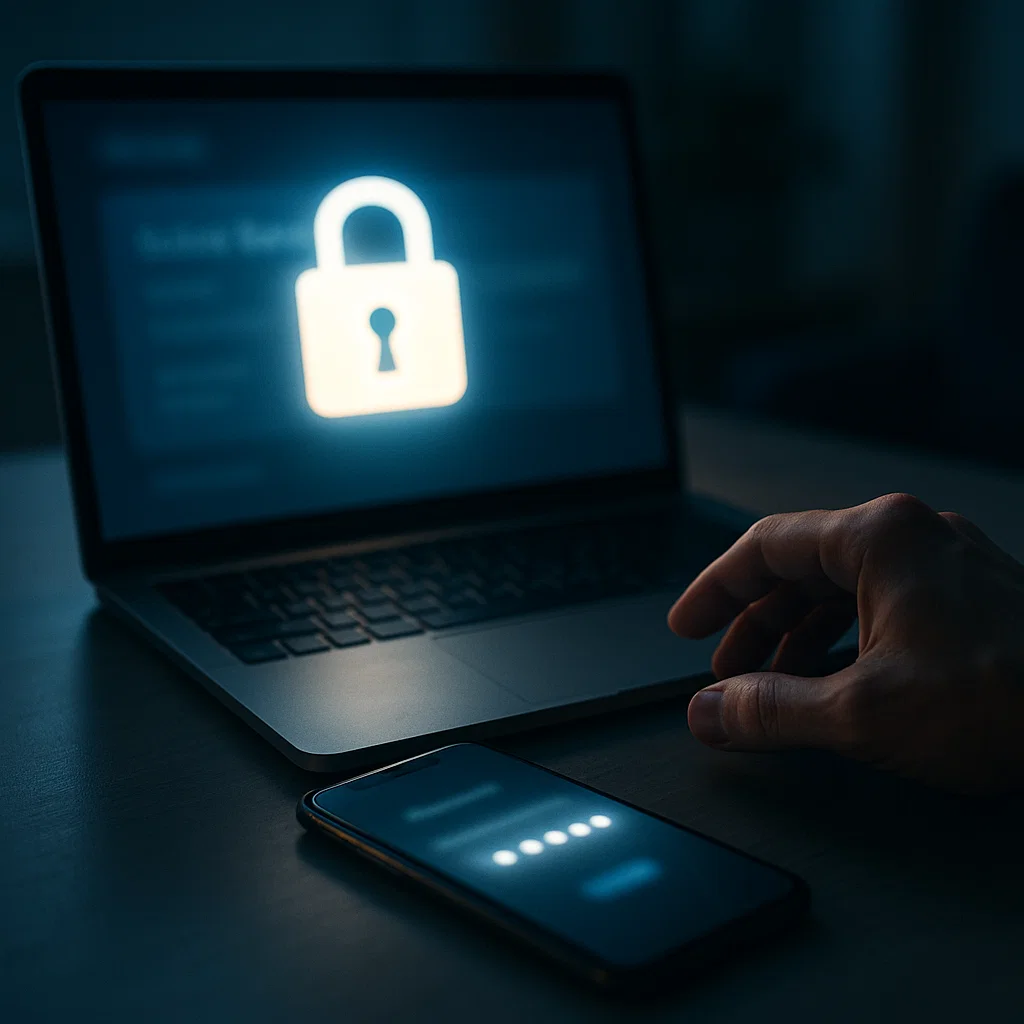
Bank accounts are one of the most valuable targets for cybercriminals. According to the latest statistics, attacks on bank accounts are growing by 238% annually, and the average cost of bank fraud is $1,343 per victim. In 2025, thousands of attacks on user bank accounts have already been recorded worldwide.
Did you know that cybercriminals can gain access to your bank account in many ways? Phishing, malware, identity theft, scams - all these methods are used daily. The worst part is that many people don't realize the threats until it's too late.
In this comprehensive guide, we'll show you how to secure your bank account from cyberattacks, what are the most common attack methods, and what to do if you fall victim.
1. Why Are Bank Accounts an Attractive Target?
Value of Banking Data
Why do criminals attack bank accounts?
- Direct access to money - they can steal your savings
- Access to personal data - card numbers, personal data, transaction history
- Ability to open new accounts - identity theft
- Selling data on Dark Web - banking data is very valuable
Statistics That Should Concern You
- 238% growth in attacks on bank accounts annually
- $1,343 - average cost of bank fraud per victim
- 287 days - average time to detect a data breach without professional protection
- 74% of victims don't recover all stolen money
- 13 attacks per day on bank accounts in 2025
2. Most Common Methods of Bank Account Attacks
1. Phishing - Fake Emails and Websites
How it works:
- Criminals send fake emails impersonating banks
- Link leads to a fake website that looks identical to the real one
- Victim enters login data, which goes directly to criminals
Example:
From: security@bank-us.com
Subject: URGENT: Your account has been blocked

Click here to unblock your account: [FAKE LINK]
How to protect yourself:
- DON'T click links in emails - type bank address manually
- Check sender address - real banks use their own domains
- Always check URL - is it really your bank's website?
2. Malware and Keyloggers
How it works:
- Malicious software installs on your computer
- Keyloggers record everything you type (passwords, PINs)
- Data is sent to criminals
How to protect yourself:
- Use antivirus and update it regularly
- Don't download files from suspicious sources
- Don't open attachments from unknown emails
- Use virtual keyboard for password entry (if available)
3. Identity Theft
How it works:
- Criminals steal your personal data (from data breaches)
- Use it to open new accounts or take over existing ones
- Can gain access to your account through password reset
How to protect yourself:
- Check if your data has been breached - free report on Privaro
- Monitor your data - Privaro offers 24/7 monitoring
- Use strong, unique passwords
- Enable 2FA everywhere
4. Phone Scams (Vishing)
How it works:
- Criminals call, impersonating banks
- Ask for verification data (passwords, PINs, codes)
- Use this data to take over accounts
How to protect yourself:
- Real banks NEVER ask for passwords over the phone
- If "bank" calls - hang up and call the known number
- Never provide passwords, PINs, or codes over the phone
5. Mobile App Attacks
How it works:
- Fake bank apps in app stores
- Malware in apps from unofficial sources
- Intercepting data from apps
How to protect yourself:
- Download apps only from official stores (App Store, Google Play)
- Check if the app is from the real bank
- Update apps regularly
- Don't root/jailbreak phone if using mobile banking
3. Basic Bank Account Security Rules
1. Strong, Unique Password
Rules for creating a strong password:
- Minimum 12 characters
- Mix of letters (uppercase and lowercase), numbers, and symbols
- Unique password - only for bank account
- Don't use personal data (name, date of birth)
Example of a good password:
Tr@k#2025$BankSecure!
Use a password manager:
- 1Password, LastPass, Bitwarden
- Generates strong passwords
- Stores them securely
- Automatically fills forms
2. Two-Factor Authentication (2FA)
Why 2FA is crucial:
- Even if someone steals your password, they won't be able to log in
- Additional layer of protection
- Most banks offer 2FA
How to enable:
- Log into your bank account
- Go to security settings
- Enable two-factor authentication
- Use authorization app (Google Authenticator, Authy)
3. Regularly Check Transactions
What to check:
- All transactions - daily or every few days
- Small, suspicious transactions - criminals often start with small amounts
- Transactions you don't recognize
- Changes in account settings
How to check:
- Log into your bank account regularly
- Check transaction history
- Set up notifications for every transaction (SMS, email, push)
4. Secure Connection
Always use HTTPS:
- Check if address starts with
https://(nothttp://) - Look for lock icon in browser
- Don't log in on public WiFi without VPN
VPN on public WiFi:
- Public WiFi is dangerous
- Use VPN (NordVPN, ExpressVPN, Surfshark)
- Encrypts all network traffic
5. Update Software
What to update:
- Operating system (Windows, macOS, Linux)
- Browser (Chrome, Firefox, Safari, Edge)
- Bank app on phone
- Antivirus
Enable automatic updates:
- Most systems have automatic update option
- Updates contain security patches
- Ignoring updates is like leaving doors open
4. Advanced Protection Methods
1. Data Breach Monitoring
Why it's important:
- If your data leaked, criminals can use it for attacks
- Check free report on Privaro - has your data been breached?
- Privaro offers 24/7 monitoring - notifications within 24h
How it works:
- Privaro scans Dark Web and all known databases
- When it finds your data - immediately notifies you
- You receive detailed report on breaches
2. Credit Report Freezing
When to do it:
- If you've been a victim of identity theft
- If your data leaked in a large breach
- As prevention - especially in the USA
How it works:
- Blocks access to your credit reports
- Prevents opening new accounts with your data
- You can temporarily unfreeze when needed
3. Separate Account for Online Payments
Why it's a good idea:
- Main account remains safe
- Separate account with limited funds for online payments
- If someone steals data, loss is limited
How to do it:
- Open separate account at bank
- Transfer only needed funds
- Use only for online payments
4. Transaction Notifications
Enable notifications:
- SMS for every transaction
- Email for transactions above certain amount
- Push notifications in bank app
Why it's important:
- You'll know immediately about suspicious transactions
- You can quickly react and block card
- Quick reaction = smaller losses
5. What to Do If You've Fallen Victim to an Attack?
Immediate Actions
1. Block Card and Account
- Call bank immediately
- Block all credit/debit cards
- Consider blocking entire account if attack is serious
2. Change Passwords
- Change bank account password immediately
- Change passwords for all other accounts that used the same password
- Use strong, unique passwords
3. Report Incident
- Report attack to bank
- Report to police (if losses are significant)
- Report to appropriate authorities (FTC in USA, UODO in Poland)
4. Check Transactions
- Check all transactions on account
- Identify suspicious transactions
- Report them to bank for refund
5. Monitor Accounts
- Regularly check transactions for next few weeks
- Check other accounts (credit cards, savings accounts)
- Enable professional monitoring - Privaro
6. Check Data Breaches
- Check if your data has been breached - free report on Privaro
- If data leaked - change passwords everywhere
- Enable monitoring - Privaro offers 24/7 monitoring
6. Best Practices for Mobile Banking
Mobile Banking App Security
1. Download Only from Official Stores
- App Store (iOS) or Google Play (Android)
- Check if app is from real bank
- Read reviews before downloading
2. Update App Regularly
- Updates contain security patches
- Enable automatic updates
- Don't use outdated versions
3. Use Biometrics
- Fingerprint or face recognition
- Faster and safer than PIN
- Don't save password in app
4. Don't Root/Jailbreak Phone
- Root/jailbreak removes system security
- Many banks block access from rooted phones
- If you must - use separate phone for banking
Phone Security
1. Use Screen Lock
- PIN, pattern, fingerprint, or face recognition
- Protects phone from unauthorized access
- Enable automatic lock after few minutes
2. Don't Share Phone
- Don't lend phone to others
- Don't log in on other people's phones
- Log out after using banking app
3. Beware of Public WiFi
- Don't log into bank account on public WiFi
- Use VPN if you must
- Better to use mobile data
7. Protection Against Phone Scams
How to Recognize Fake "Bank" Call?
Red flags:
- Request for password, PIN, or code over phone
- Urgent call to action
- Request to install app
- Request to transfer to "safe account"
- Threats to block account
Remember:
- Real banks NEVER ask for passwords over phone
- Real banks NEVER ask to transfer to "safe account"
- If something sounds suspicious - hang up and call known number
What to Do If "Bank" Calls?
1. Don't Provide Any Data
- Don't provide passwords, PINs, codes
- Don't provide card numbers
- Don't provide personal data
2. Hang Up and Call Yourself
- Hang up immediately
- Call known bank number (from website or card)
- Check if call was real
3. Report Incident
- Report scam attempt to bank
- Report to police
- Help others - report number to appropriate authorities
8. Protection Against Email Scams
How to Recognize Fake Bank Email?
Red flags:
- Suspicious sender address (e.g.,
bank-us.cominstead ofbank.com) - Request to click link and log in
- Urgent call to action
- Language and spelling errors
- Request for password via email
Remember:
- Real banks NEVER ask for passwords via email
- Real banks NEVER ask to click link and log in
- If something is urgent - bank will call or send message in app
What to Do If You Receive Suspicious Email?
1. DON'T Click Links
- Don't click any links in email
- Don't open attachments
- Don't reply to email
2. Check Directly
- Log in directly on bank website (type address manually)
- Check if message is real
- Contact bank through known channel
3. Report Phishing
- Report email to bank
- Report to appropriate authorities
- Help others - report phishing
9. Summary - Your Checklist
✅ Always Do:
- Use strong, unique passwords
- Enable 2FA on bank account
- Regularly check transactions
- Use HTTPS (check lock icon in browser)
- Update software
- Enable transaction notifications
✅ Always Remember:
- Real banks NEVER ask for passwords over phone or email
- DON'T click links in emails - type address manually
- DON'T provide passwords, PINs, or codes over phone
- Check if your data has been breached - Check free report on Privaro
- Monitor your data - Privaro offers 24/7 monitoring
✅ If You've Fallen Victim:
- Block card and account immediately
- Change all passwords
- Report incident to bank and police
- Check all transactions
- Monitor accounts for next few weeks
Don't Wait - Protect Yourself Today!
Bank accounts are one of the most valuable targets for cybercriminals. Attacks are growing by 238% annually, and average fraud cost is $1,343. You don't have to be one of the victims.
Remember:
- 238% growth in attacks on bank accounts annually
- $1,343 - average cost of bank fraud
- 287 days - average time to detect breach without professional protection
Protect yourself now:
-
Check if your data has been breached - Generate a free report on Privaro. It takes less than 10 seconds.
-
Enable professional monitoring - Privaro offers 24/7 data breach monitoring. You'll receive notifications within 24 hours of breach detection, instead of waiting 287 days.
-
Apply rules from this guide - strong passwords, 2FA, regular transaction checking, notifications.
Your financial security is in your hands. Don't get scammed.
Remember: Bank account security is not just about password - it's comprehensive protection involving many layers. Use all available tools and be vigilant.
This article was created by the Privaro team - experts in data protection and cybersecurity.
Powiązane posty

Dark Web Explained - Why Your Data Might Be There?
Learn what the Dark Web is, how it works, and why your personal data might end up there. A practical guide to the darkest side of the internet.
GDPR and Data Breaches - What Are Your Rights as a Consumer?
Learn what rights you have as a consumer in case of data breach according to GDPR. How to report breaches, claim compensation, and protect your data.
How to Protect Your Data Online - Comprehensive Guide 2025
Learn how to effectively protect your personal data from breaches, cyberattacks, and identity theft. Practical tips and best security practices.